Maker’s notebook · 4 min read
STL vs 3MF for miniatures: what the download contains
What each file in a miniature pack holds, which to open and how to check its units and stored settings, from a delivered Cabinet Douze pack opened file by file.
Updated
Our downloads give you two files for each scale: an STL and a 3MF. Etsy delivers at most five files of 20 MB, so for a very large design the two formats can arrive in separate zip files; the README in each pack lists exactly what it holds. The two files are not two designs, and you do not need both. They are two containers for the same shape, and one of them can carry much more than a shape. Knowing which is which saves you from an unexpected unit, a borrowed printer profile, or a model scaled twice.
This guide describes a real delivered pack, opened file by file on 29 September 2026, and what the two formats are allowed to contain according to their documentation.
Recognise each file
We opened the pack of the Mid-Century Lounge Chair. Its scales are delivered as separate archives, one per scale, and a README lists every file in the download. Figure 1 shows the 1:12 archive. It contains four files.
The STL is 8.0 MB and holds 159,990 triangles. Prusa’s 3MF article sums up the format: an STL “only stores the geometry of an object (as a series of surface triangles)”. Prusa’s blog post on the format lists units, colours, supports and printer settings among the information a 3MF can hold and an STL cannot.
The 3MF is 3.6 MB, less than half the size of the STL; Prusa notes that 3MF files are significantly smaller in general. The 3MF core specification requires the file to be a ZIP archive, so it can be opened like one. Ours contains three parts: 3D/3dmodel.model, which holds the mesh, plus two small files that describe the package. The model file declares unit="millimeter" and holds one object with the same 159,990 triangles as the STL.
README.txt gives the scales, the units, a note to import at 100%, starting layer heights, and the results of our digital print checks for each scale and process. A preview image shows the piece; it is a picture, not a print file.
On the same day we checked every 3MF of our released single designs, 281 files in all. Each has the same three parts and declares millimetres.
Open the right document
Where our packs include both, either file will do. Open one, not both, or you will have two copies of the chair on the plate. If your slicer offers a choice, the 3MF has one small advantage: it states its unit, so there is less to guess.
A 3MF from elsewhere may be a different kind of document. PrusaSlicer uses 3MF for its projects, and Prusa explains that a project 3MF saves “all objects, settings, modifiers, and their parameters”, essentially a complete snapshot of the slicer. The same blog post lists what such a file can hold: a printer profile, manually placed supports, variable layer height settings, modifiers, scene units and a thumbnail. The latest core specification, version 1.4.0, recommends the extension .project.3mf for files that carry a complete project, but you cannot count on every program following that recommendation yet.
So the extension alone does not tell you what you have. Ours are geometry and units only; our pipeline does not export a printer project. After opening any 3MF, check which printer, material and print profile the slicer has selected before you slice.
Check scale and stored settings
Size. After import, read the dimensions. The chair’s 1:12 file should measure 65.6 × 70.8 × 65.9 mm, matching the product page. If you imported the STL and the size is far off, suspect the unit before the scale; if you need to change the size deliberately, verify scale in the slicer after applying it.
Unit. The 3MF specification allows six units: micron, millimetre, centimetre, inch, foot and metre, with millimetre as the default. Under the specification, that unit governs how every coordinate in the model is read. An STL leaves that interpretation to the slicer, which is why Prusa describes STL objects as “proportionless”. If you ever want to confirm a 3MF’s unit yourself, open a copy as a ZIP and read the first lines of 3D/3dmodel.model in a text editor.
Stored settings. Look at the printer and material names shown after opening. Our files contain no settings, so there is nothing for the slicer to load: the profile shown should be the one you had selected. With a project file from another source, the selected profile may switch to the author’s. Compare it with your machine’s documented profile before slicing, including the supports and layer height.
Keep the original download untouched. Once you have oriented and supported the piece for your own printer, save that plate as your own project. The miniature printing workflow continues from there: orientation, supports and reading the sliced layers.
Common questions
Do I need both files?
No. In our packs they carry the same geometry. Open whichever your slicer prefers; the 3MF also states its unit, the STL does not.
Will the 3MF change my printer settings?
Ours contains no printer, material, support or layer settings, so your own profile stays in charge. A 3MF saved as a slicer project by someone else can be different: it may carry that person’s settings.
Can I look inside a 3MF?
Yes. A 3MF is a ZIP package. Rename a copy to .zip and open it: ours holds one model file and two small packaging files.
From the cabinet
Try it with a real design.
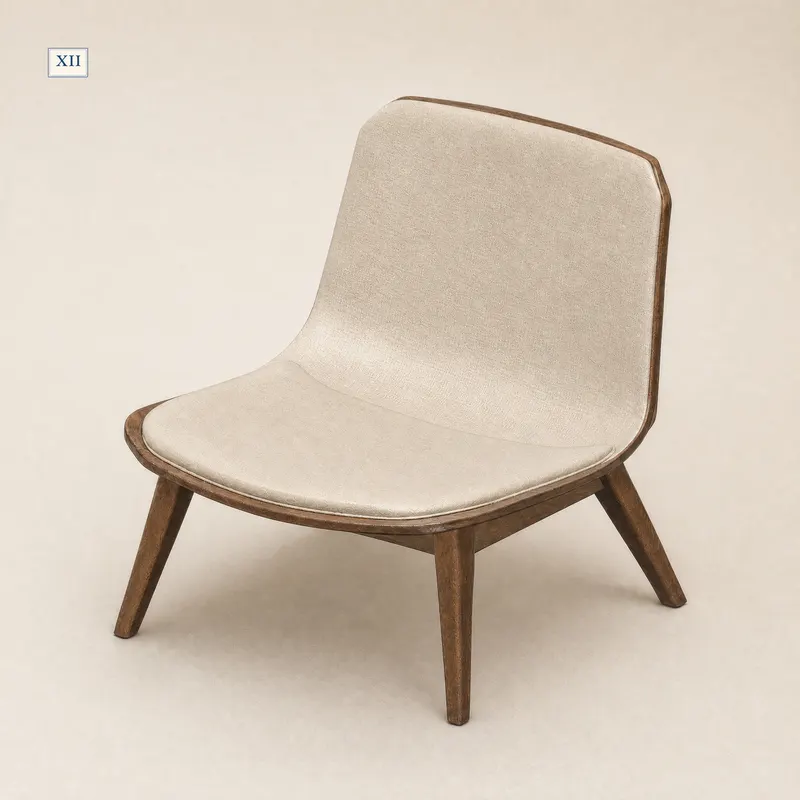
Mid-Century Lounge Chair
The pack opened in this guide: one archive per scale, each with an STL, a 3MF, a README and a preview image. The 3MF declares millimetres and stores no print settings.
- 1:12
- 65.6 × 70.8 × 65.9 mm
- 1:24
- 32.8 × 35.4 × 32.9 mm
- 1:6
- 131.1 × 141.7 × 131.7 mm
Dimensions of the supplied files: width × depth × height. Room scenes illustrate the design; they are not physical print test records.
Check this piece’s details and sizes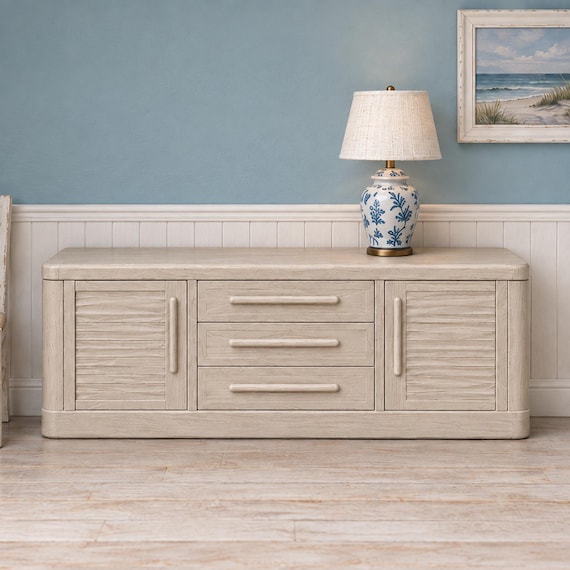
Coastal Dining Sideboard With Central Drawers
Supplied at 1:12 and 1:24, each scale as its own archive with an STL and a 3MF of the same geometry. Open one of the two in your slicer, not both.
- 1:12
- 150.0 × 34.7 × 48.5 mm
- 1:24
- 75.0 × 17.3 × 24.2 mm
Dimensions of the supplied files: width × depth × height. Room scenes illustrate the design; they are not physical print test records.
Check this piece’s details and sizes