Maker’s notebook · 6 min read
How to resize a dollhouse STL without losing small details
Confirm the file’s scale, apply one uniform percentage in the slicer, then check what shrank with it: walls, gaps, supports and the triangle count.
Updated
| Check | 1:12 file | Your 50 % copy | Supplied 1:24 file |
|---|---|---|---|
| Width × depth × height | 65.6 × 70.8 × 65.9 mm | 32.8 × 35.4 × 32.9 mm | 32.8 × 35.4 × 32.9 mm |
| Thinnest 1 % of the surface | 1.23 mm | about 0.61 mm, calculated | 0.66 mm, measured |
| Triangles | 159,990 | 159,990 | 79,978 |
| Resin check | Passed with warnings | Not checked | Passed with warnings |
| FDM check | Passed with warnings | Not checked | Failed |
Changing the size of a miniature takes seconds in a slicer. The mistakes happen around that step: starting from the wrong scale, stretching one axis, or trusting a size that no longer suits the printer. This guide covers the slicer side of the job. For the ratios themselves, use the dollhouse scale chart or the scale calculator; here we assume you already know the percentage you want.
We describe the controls in PrusaSlicer because its documentation is public and we cite it below. Other slicers have equivalent tools under different names. There are no slicer screenshots in this guide: the figure and every number come from a delivered file and from our digital checks, not from a print.
Confirm the source scale
Before scaling anything, establish what you have. Read the filename and any README in the download. Our files carry the scale in the name, for example mid-century-lounge-chair-1-12.stl, and the README states: “Units: millimetres. Import at 100% in your slicer; files are already scaled.”
Import at 100% and compare the size shown by the slicer with the product page. The Mid-Century Lounge Chair 1:12 file should read 65.6 × 70.8 × 65.9 mm (width × depth × height). If it does, the file is at its stated scale and the percentage from the chart applies.
If the numbers are wildly off, fix the units before you think about scale. An STL stores no unit at all; Prusa describes STL objects as “proportionless”. A 3MF declares its unit inside the file, which is one reason to understand the supplied file format before resizing. PrusaSlicer can convert an object from inches or metres to millimetres, as described in its release notes.
Finally, make sure the model is not already scaled. A copy that was resized in an earlier session and saved as a project will carry that percentage with it. In PrusaSlicer’s object manipulation panel, the orange reset arrow returns the scale to 100% in one click.
Apply one uniform scale
Type the percentage rather than dragging. PrusaSlicer’s object manipulation panel accepts a scale factor or a size for the selected object. With the Scale tool, the corner boxes scale uniformly while the X, Y and Z handles scale a single axis; a stray drag on a handle is the usual way a chair gets quietly wider.
Avoid the scale-to-fit shortcut. Prusa’s documentation lists it as “scale to fit (maximum size)”: it sizes the model to the printer, not to your room.
Read sizes in the right frame. The same panel can show world or object coordinates in Advanced and Expert modes. Prusa notes that an object’s size in world coordinates changes as you rotate it, while its size in object coordinates stays constant. If you have already rotated the piece for printing, compare the object-coordinate size with the product page.
Check the dimensions you now have
At 50%, the lounge chair should measure 32.8 × 35.4 × 32.9 mm. If the slicer shows something else, undo and start again from 100% rather than correcting one axis.
The chair’s pack includes a 1:24 file, and Figure 1 compares it with a copy you might make yourself. The outer size is the same to a tenth of a millimetre. Almost everything else in the table differs, and the rest of this guide explains why that matters.
What shrinks with the percentage
Uniform scaling reduces every feature by the same factor, including the ones that make the piece printable.
Walls. Our check samples the thickness of the delivered mesh across its surface. On the chair’s 1:12 file, the thinnest 1% of the surface measures 1.23 mm; halving the file brings that to about 0.61 mm. Prusa’s modelling guidance gives about 0.45 mm for one perimeter and 0.9 mm for two with a 0.4 mm nozzle, and says walls thinner than one perimeter are not printable. After any reduction, inspect thin features after resizing.
Gaps. The space between two rails, a drawer and its frame, or a socket and its pin shrinks by the same factor. A gap that reads clearly at 1:12 can close up on the printed part at 1:24.
Supports. The share of the surface that faces downward does not change with size: our check measured 23% on the chair at 1:12, 1:24 and 1:6 alike. The count of islands, the places where a layer starts in mid-air, did change, from 25 at 1:12 to 14 at 1:24. That smaller number is not good news. Our check counts only regions at least 1 mm wide, and more regions fall under that width at the smaller size. They can still need support.
Triangles. A percentage keeps every triangle of the original. The supplied files in our packs are prepared per scale instead: the chair’s README reports 159,990 triangles at 1:12 and 79,978 at 1:24, each simplified from a 295,612-triangle model and kept within 0.03 mm of it over 99.9% of the surface. Scaling the 1:12 file up to 200% for 1:6 gives you about half the triangles of the supplied 1:6 file, which is the full-resolution mesh.
Prefer a supplied scale
A supplied file at your scale has been measured at that scale. For the lounge chair, the 1:24 file passed our resin check with warnings and failed the FDM check, because 10% of its surface is thinner than 1 mm. A 1:24 copy you make yourself has the same walls at the same size, so resizing does not avoid that result. It only removes the record of it.
On 29 September 2026, all 133 of our single designs are supplied at 1:12, 127 at 1:24 and 21 at 1:6. None is supplied at 1:48. For the lounge chair, a 1:48 file was checked on 10 September 2026 and failed both processes, with 69.5% of its surface under 1 mm; it is not sold. If you need a size that is not in the pack, treat your copy as an untested variant, or choose a sturdier design at the scale you want.
Slice and read the layers
Slice the resized model with your usual profile and move the layer slider through every leg, rail and edge. Compare what the toolpath draws with the shape you see in the 3D view; a feature can be present in the mesh and absent from the preview. The miniature printing workflow covers that inspection and the first print.
When the result works, save your plate as a project. Prusa writes that they always save project files when they slice, and that a project 3MF contains all objects, settings and modifiers with their parameters, so the percentage you chose travels with the file. Name it with its history, for example “lounge chair, supplied 1:12, printed at 50%”, and keep the original download untouched beside it.
Common questions
Can I print a 1:12 file at 1:48?
You can set it to 25% in a slicer, but none of our packs includes a 1:48 file: the one we checked, for the lounge chair, failed both processes and is not sold. Every wall becomes a quarter as thick. Inspect the layer preview and expect fine rails and edges to be dropped, especially on FDM.
Why does the supplied 1:24 file have fewer triangles than the 1:12 file?
In our packs each scale is its own mesh, simplified for that size from one full-resolution model and compared with it. Scaling the 1:12 file to 50% gives the same shape with twice as many triangles, but it is not the file we checked at 1:24.
Should I use the slicer’s scale-to-fit button?
Not for a dollhouse piece. It sizes the model to the printer’s bed, not to your room. Type the percentage or the target dimension instead, then read the size panel.
From the cabinet
Try it with a real design.
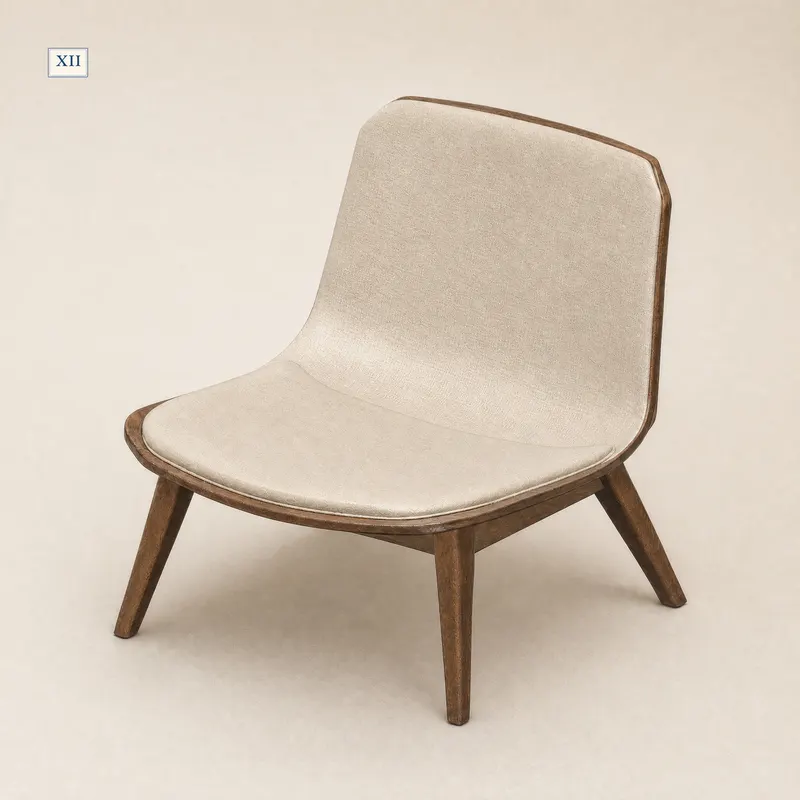
Mid-Century Lounge Chair
Supplied at 1:12, 1:24 and 1:6 as separate files. Its 1:24 file passes our resin check with warnings and fails the FDM check; a 50% copy of the 1:12 file has the same walls, so it would not change that.
- 1:12
- 65.6 × 70.8 × 65.9 mm
- 1:24
- 32.8 × 35.4 × 32.9 mm
- 1:6
- 131.1 × 141.7 × 131.7 mm
Dimensions of the supplied files: width × depth × height. Room scenes illustrate the design; they are not physical print test records.
Check this piece’s details and sizes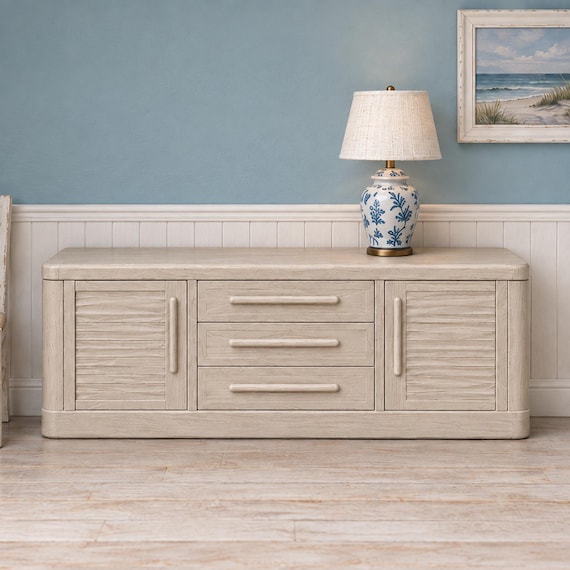
Coastal Dining Sideboard With Central Drawers
A forgiving shape to resize: no supports needed and FDM checks passed with warnings at both supplied scales. The thinnest 1% of its surface measures 4.59 mm at 1:12.
- 1:12
- 150.0 × 34.7 × 48.5 mm
- 1:24
- 75.0 × 17.3 × 24.2 mm
Dimensions of the supplied files: width × depth × height. Room scenes illustrate the design; they are not physical print test records.
Check this piece’s details and sizes