Maker’s notebook · 5 min read
How to print dollhouse wallpaper at the correct scale
Choose the right scale and paper size, print a wallpaper PDF at 100%, check a test measurement and plan pattern joins for a miniature room.
Updated
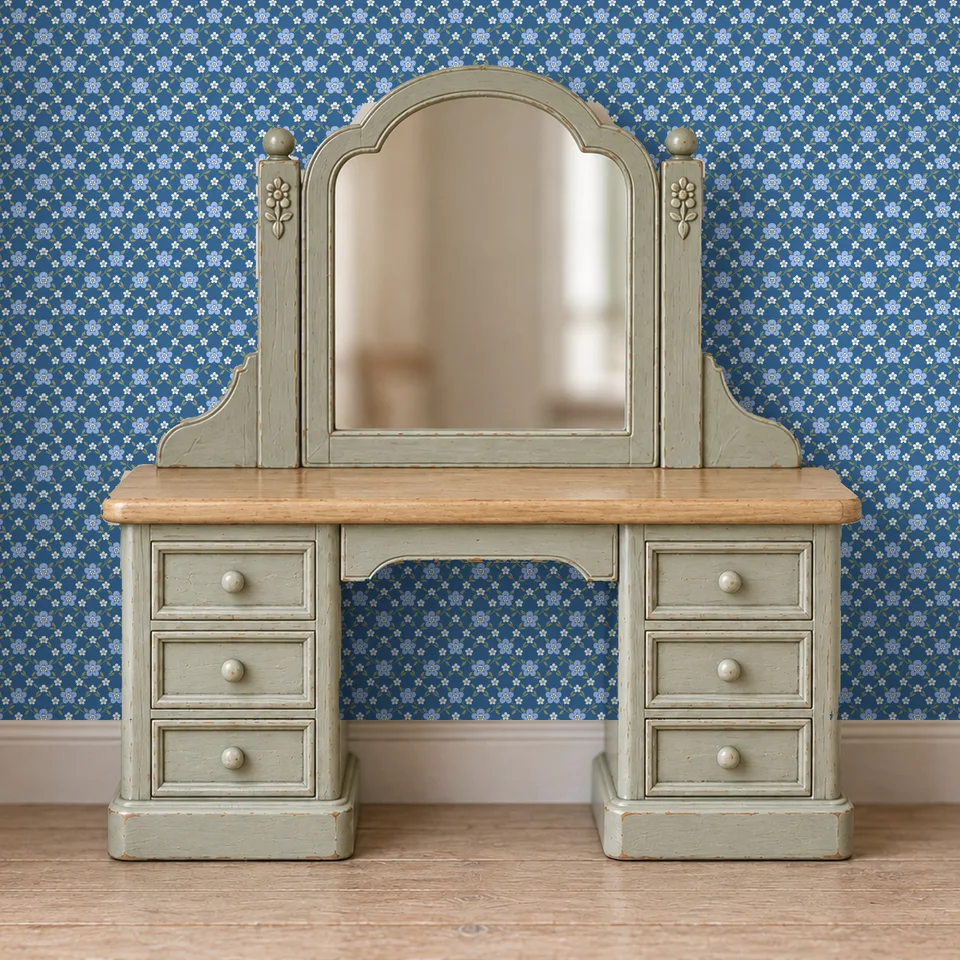
Printable dollhouse wallpaper uses a regular colour printer and paper. The important measurement is the size of the printed pattern: a flower, stripe or repeated motif needs to feel right beside the furniture and windows. A page that looks correct on a screen can print at a different size if the print dialog automatically fits it to the paper.
This guide explains a general PDF workflow. Follow the instructions supplied with your particular download if its format or layout differs. The Cabinet Douze wallpapers shown here are on sale as digital downloads, with their own fitting guide.
Choose the scale before the paper size
Start with the room scale. If the furniture is 1:12, use a sheet labelled 1:12 where one is supplied. For a half-scale room, look for 1:24. Our dollhouse scale chart explains how those ratios relate to real dimensions.
As a worked example, a repeat representing 240 mm in a full-size room would measure 20 mm at 1:12 and 10 mm at 1:24. These are example measurements, not specifications for every wallpaper. Decorative patterns can be stylised; choose the intended visual effect as well as the nominal ratio.
Put a furniture piece or a paper silhouette beside the test pattern. A large motif may work well on a feature wall but dominate a narrow corner. Check it at the distance from which you normally view the dollhouse.
Match the document and the loaded paper
Use the A4 or US Letter version that matches your paper when both are supplied. Choose the same paper size in the printer settings. Changing the page size and asking the software to fit the design can alter both the motif and any measurement marks.
Open the original download rather than a screenshot or a shop preview image. A preview is useful for choosing a colour or pattern; it is not a substitute for the properly sized print file. Keep one unchanged copy of the download so you can return to its original settings.
Print at actual size, then measure
In the print dialog, choose Actual size or 100% for a PDF already laid out at your intended scale. Adobe documents the difference between Actual size and Fit: Fit changes the page to suit the printable area, while Actual size preserves its dimensions.
Print one test sheet. If the file includes a calibration square or reference line, measure it with a ruler. For example, a line labelled 20 mm should measure 20 mm on paper. If there is no reference mark, use a dimension stated in the pack rather than guessing from the size of the on-screen image.
If the measurement is wrong, check scaling in both the PDF application and the printer dialog. A borderless printing setting can also enlarge content, depending on the printer. Consult that printer’s instructions before using it for scale-sensitive work. A clipped edge is a reason to check the layout and printable margins, not automatically to shrink the whole pattern.
Changing scale changes coverage too
When you deliberately resize a pattern, use:
Print percentage = original scale denominator ÷ target scale denominator × 100.
| Change | Percentage | What happens |
|---|---|---|
| 1:12 to 1:24 | 50% | The motif and printed sheet dimensions halve |
| 1:24 to 1:12 | 200% | The motif doubles; the page may need tiling or a larger layout |
| A supplied 1:24 file in a 1:24 room | 100% | The supplied layout keeps its intended dimensions |
Reducing a whole 1:12 PDF to 50% leaves a smaller printed area on the sheet. It does not automatically repeat the smaller pattern to refill the paper. Prefer a dedicated file at the required scale when one is provided. To count the sheets a wall needs from a file’s real pattern area, use our dollhouse wallpaper calculator.
Plan the joins before cutting
Measure the usable wall width and height, including areas around doors and windows. Use plain paper to make a template first, especially in rooms with irregular corners. Check it against any projecting trim and the furniture footprints.
Lay the printed sheets next to each other before cutting. Find where the motif repeats and decide where seams will fall. Follow the download’s joining instructions: some designs include an overlap, and others require trimming to a matching edge. Do not assume that every sheet is seamless on all four sides. Our guide to matching wallpaper patterns at seams and corners shows both joining methods step by step.
Keep extra matching paper for a mistaken cut or a later repair. Print the sheets for one room with the same paper and settings so that you can compare their colour together before installation.
Test the paper and finish as a small sample
Choose paper supported by your printer. Test a small sample with the adhesive and wall material you intend to use, following their instructions. Let it dry before judging colour, surface texture or whether the ink marks when handled. There is no single paper weight or adhesive that suits every printer and miniature room.
Write the paper type, printer settings, scale and file name on the back of a spare sheet. Keep that sample with your room plan. It will be a more useful reference for future additions than a screen image alone.
Once the wall pattern is settled, compare it with the furniture finish. A quiet wall can frame a detailed Victorian cabinet; a simpler pattern can also leave room for the outlines of mid-century furniture. These are composition choices you can try with paper samples before committing to the room.
Before choosing the final pattern, use the dollhouse interior style guide to compare it with your furniture shapes and intended finishes. A test section behind the main piece can reveal whether the pattern supports the room or overwhelms it.
Common questions
Do I need a 3D printer for dollhouse wallpaper?
No. Printable wallpaper is a paper craft. Use a compatible regular colour printer and the document format supplied with the design.
Should I choose Fit or Actual size when printing?
For a PDF already prepared at your dollhouse scale, start with Actual size or 100%. Fit can change the pattern size. Check the pack instructions and measure a test print before printing the remaining sheets.
Can I make 1:24 wallpaper from a 1:12 sheet?
Printing at 50% halves the pattern dimensions, but also halves the printed sheet dimensions. Prefer a supplied 1:24 layout when available, because it can fill the page with the smaller pattern.